Video Editing As You Know It Is Basically Over
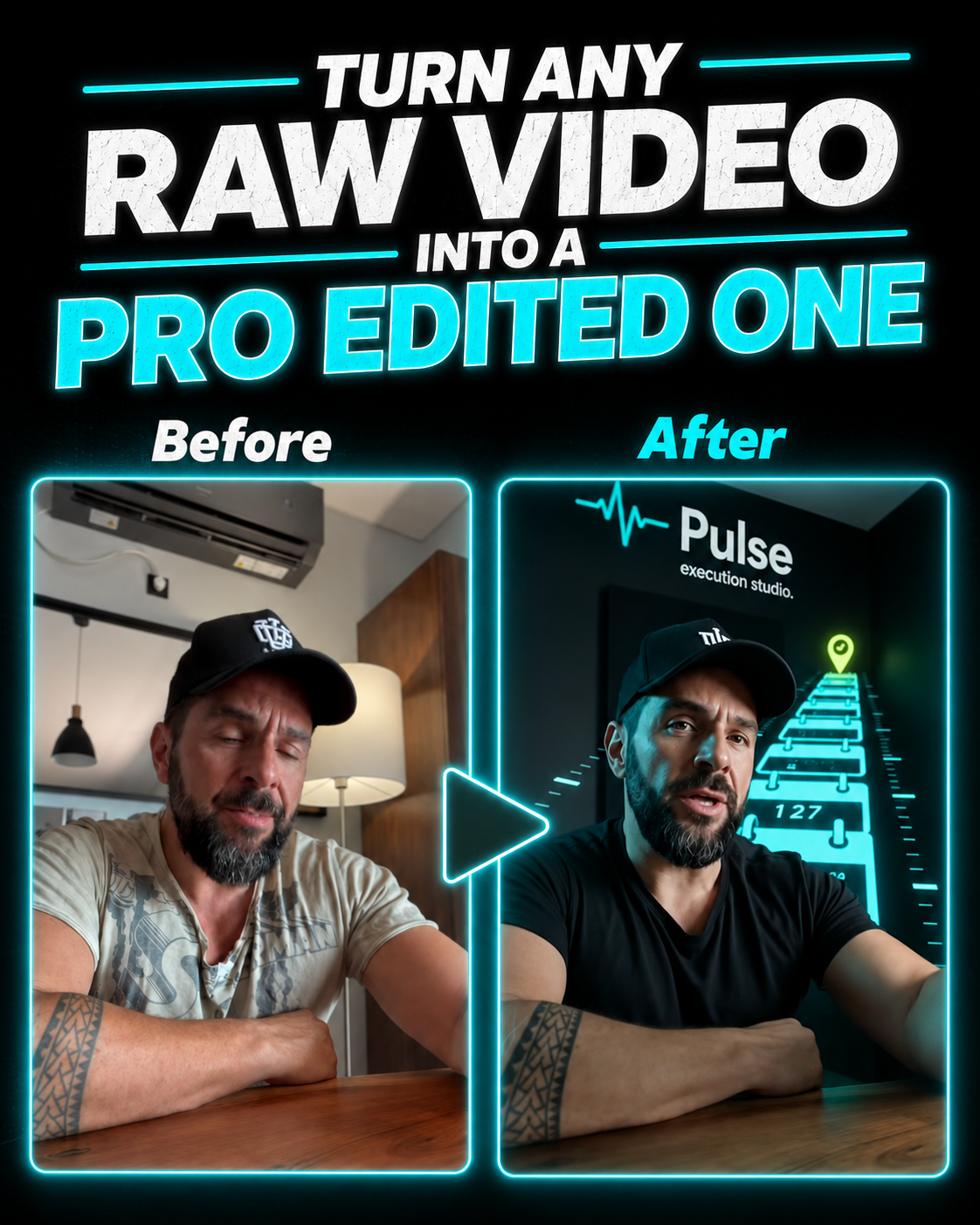
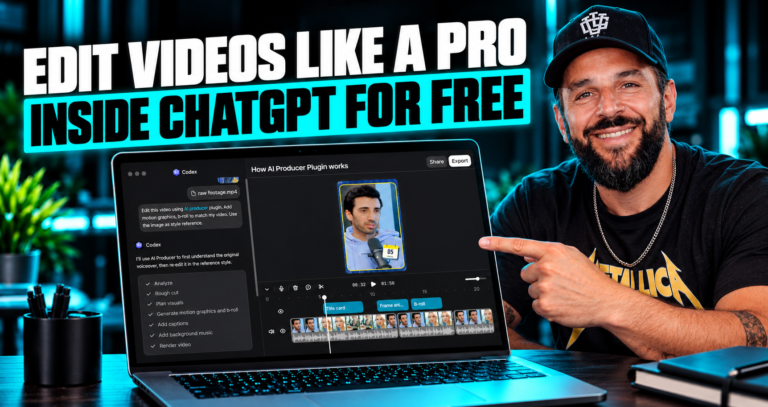
I've been editing videos for years, and I never thought I'd say this: you don't need to touch a timeline anymore. Opus just dropped a feature called AI Producer, and it takes your raw, unedited footage and turns it into a fully polished video in about 5 minutes. Cuts, pacing, motion graphics, b-roll, sound effects, camera movements, all of it. You just chat with it.
I posted a full demo on our page. Watch it below.
What AI Producer Actually Does
Here's the wild part. You drop in raw, unedited talking-head footage, real footage, not an AI avatar, and AI Producer handles the entire first edit for you:
- Cuts dead space, awkward pauses, and bad takes automatically
- Fixes pacing so the video actually holds attention
- Adds motion graphics on top of your footage
- Pulls in relevant b-roll where it fits
- Layers in sound effects at the right moments
- Adjusts camera movement and framing
- Cleans up poses and awkward moments in the shot
And the way you control all of it is by chatting. Want more energy in the first 10 seconds? Say it. Want a different b-roll clip in the middle? Say it. No timeline, no dragging clips, no learning Premiere or CapCut. It behaves like a professional editor sitting next to you, except it works in minutes instead of days.
Why This Matters For Creators
Editing has always been the real bottleneck. You can film great raw content and still lose your audience because the pacing is off or it looks unpolished. Most creators either pay an editor, spend hours learning editing software, or just post rougher content because they don't have time. AI Producer removes that entire step. You film, you upload, you chat, you publish.
Think about what a normal edit actually costs you. A decent talking-head video usually means an hour or two in the timeline: trimming pauses, syncing b-roll, finding sound effects, keyframing text, color correcting, exporting, re-exporting because something looks off. Multiply that by every video you post in a week and editing quietly becomes a part-time job on its own. AI Producer compresses that entire process into a single upload and a short back-and-forth chat.
How The Workflow Actually Looks
You're not learning a new piece of software here. The whole point is that there's nothing to learn.
- Upload your raw footage, no pre-editing or trimming needed first
- AI Producer analyzes the footage and produces a full first-draft edit on its own
- You review the draft and chat with it to request changes, just like messaging a real editor
- It applies the changes instantly and gives you an updated version
- Once you're happy, you export and publish
That's the entire loop. No timeline, no layers, no plugins, no rendering settings to configure. If you've ever tried to explain to a human editor exactly what you want and waited days for the revision, this replaces that whole cycle with a conversation that takes minutes.
Who This Is Actually Built For
This isn't just a shortcut for lazy editing, it genuinely changes what's possible for different types of creators:
- Solo creators and influencers who film constantly but can't justify hiring an editor for every single video
- Coaches and educators who need polished talking-head content but want to spend their time teaching, not editing
- Small businesses and agencies that need to turn out consistent video content without scaling up a production team
- Anyone posting daily or near-daily where editing time is the single biggest thing slowing down output
If you've been putting off posting more because editing eats your whole day, this is the exact problem AI Producer is solving.
What Makes It Different From Other AI Editing Tools
Plenty of tools claim to speed up editing, but most of them still leave you doing manual work: dragging b-roll into place, manually adding captions, picking music yourself. AI Producer is built differently. It works on real, raw footage, not AI-generated avatars or synthetic presenters, and it produces a complete first cut with motion graphics, b-roll, sound design, and pacing already applied before you touch anything. Your job shifts from "editor" to "director." You review and refine instead of building from scratch.
Try AI Producer yourself and turn your raw footage into a pro-level edit in minutes.
Try AI Producer Free
Quick FAQ
Do I need any editing experience? No. You describe what you want in plain language and it handles the technical execution.
Does it use my real footage or generate an AI avatar? Your real footage. It edits what you actually filmed, it doesn't replace you with a synthetic presenter.
How long does an edit take? The first draft is typically ready within a few minutes of uploading, then any further changes happen almost instantly through chat.
Can I still make manual adjustments if I want to? Yes. You can always go in and fine-tune specific details after the AI hands you the first cut.
Final Take
This is one of those tools where the gap between "I have an idea" and "it's posted and looks professional" basically disappears. If you create content regularly and editing is what's slowing you down, this is worth testing today. The video above shows exactly what a raw-to-polished transformation looks like in practice, watch it before you try it yourself so you know what to expect.
Disclosure: the link above is an affiliate link. If you sign up through it, we may earn a small commission at no extra cost to you. We only share tools we actually use and test ourselves.