Best Free AI Websites

Author: Simply Digital

Best Free Grok Guides & Tutorials

🔥 Best Free Grok Guides & Tutorials (with Descriptions + URLs)

  1. Grok Imagine xAI Prompt Guide – Master AI Image & Video Prompts A complete, beginner-friendly resource focused on how to craft effective prompts for Grok Imagine’s image and video generation features. It breaks down how to structure prompts for both image-to-video and text-to-video, including camera motion, subject/action cues, and motion terms that help Grok create cinematic outputs.

👉 Guide & Tips: https://www.grokimagineai.net/prompt-guide

  1. The Complete Guide to Prompting Grok for AI Videos (Medium) This article gives a practical framework for writing prompts that consistently produce solid results — covering scene description, camera direction, visual style, motion, and audio layers. Great for creators who want to go beyond generic prompts and understand why certain prompt elements matter.

👉 Read the full guide: https://travisnicholson.medium.com/the-complete-guide-to-prompting-grok-for-ai-videos-917ed6af1758

  1. Free Grok Imagine Prompt Generator – AI Image & Video Prompts A prompt generator tool. Instead of manually guessing words, you can fill in options (subject, art style, lighting, motion) and the generator creates optimized prompts you can paste straight into Grok. Includes quick templates for still images and short videos.

👉 Try the prompt generator: https://dogenerator.com/grok-imagine-prompt-generator

  1. Free Curated Grok Prompt Library (Image + Video) A curated gallery of ready-to-use Grok prompts for AI art — focused primarily on image generation but super useful for inspiration and prompt structure learning. You can copy and paste these into Grok to start seeing results immediately.

👉 Browse free prompts: https://grokprompts.app/prompts

  1. Udemy — Free Grok AI Image & Video Course Although hosted on Udemy, this course is listed as free and walks step-by-step through using Grok AI — from setup to generating viral videos and images. It teaches how to navigate the Grok environment, write prompts, and build full video projects with sound and music. (Tip: free courses often require a free Udemy account to enroll.)

👉 Free course on Udemy: https://www.udemy.com/course/free-ai-video-creation-image-with-grok-no-subscriptions/

  1. YouTube: Grok Imagine Video Tutorial (Unlimited Free Videos) A visual, step-by-step tutorial showing how to generate AI videos with Grok Imagine — including tips on layout, editing, and iterations. This is great if you like learning by watching instead of reading.

👉 Watch here: https://www.youtube.com/watch?v=IJnUkZAdpMM

  1. Quickprofit Formula – Free Grok AI Video Creation Tutorial A practical, step-by-step online tutorial focused on turning ideas into professional AI videos (text → image/video), including scenes, characters, and export strategies. Ideal for social, ads, or marketing workflows.

👉 Full tutorial: https://www.quickprofitformulax.com/how-to-create-free-ai-videos-with-grok/

32 TOP AI TOOLS TO LEARN NEW SKILLS

Coding & Tech

LeetCode (https://leetcode.com/): A go-to platform for practicing coding problems and preparing for technical interviews. You’ll find thousands of challenges across algorithms, data structures, and systems design — with test cases and community discussions to help you level up your problem-solving skills.

GeeksforGeeks (https://www.geeksforgeeks.org/): A huge online computer science hub packed with tutorials, explanations, and examples on coding concepts. It’s great for learning fundamentals, diving deep into topics, and finding solutions for common programming patterns in languages like C++, Java, Python, and more.

Kaggle (https://www.kaggle.com/): A vibrant data science and machine learning community where you can find real datasets, compete in predictive modeling challenges, build projects, and share notebooks. It’s perfect for hands-on learning and collaboration with other data enthusiasts.

Code.org (https://code.org/en-US): An education nonprofit focused on expanding access to computer science, especially for beginners and students. It offers fun, structured lessons, games, and activities to learn coding basics — no experience required.


🎓 Education & Courses

Khan Academy — https://www.khanacademy.org/
A free, nonprofit online learning platform offering video lessons and practice exercises across core subjects like math, science, history, and computing — great for self-paced foundational learning at any age.

Udemy — https://www.udemy.com/
A huge online course marketplace where experts create video-based classes on everything from programming and business to creative skills — courses can be paid or free.

Harvard Online — https://pll.harvard.edu/online-courses
Harvard University’s official hub for online courses, including professional, academic, and skills-based training created by Harvard faculty — often with certificates.

Class Central — https://www.classcentral.com/
A search and discovery engine for online courses (MOOCs) from universities and providers like Coursera, edX, and more — helpful for finding free and paid options.


💼 Business & Professional Skills

Coursera for Business — https://www.coursera.org/business
Enterprise-focused learning from top universities and companies — builds career and leadership skills with scalable training paths and certificates.

Google Skillshop — https://skillshop.withgoogle.com/
Google’s official training platform to master Google products like Analytics, Ads, and more — includes certifications for professionals and marketers.

MindTools — https://www.mindtools.com/
Professional development site with practical resources on leadership, time management, communication, and team skills (usually subscription-based).

openSAP — https://open.sap.com/
Free online courses on SAP technologies and enterprise software — ideal for IT professionals and business tech learners.


🤖 AI & Tech

Learning OpenAI – Learning (At the moment there’s no official centralized “OpenAI Learning” site in the same way; many resources are hosted through ChatGPT’s tools and documentation.)

Microsoft AI Learnhttps://learn.microsoft.com/ai Microsoft’s official AI learning hub — hands-on tutorials, learning paths, and documentation for developing AI skills with Microsoft tools. Microsoft Learn

Hugging Face Learnhttps://huggingface.co/learn A learning section from Hugging Face focused on open-source AI model development, LLMs, and practical machine learning training. Hugging Face

TensorFlowhttps://www.tensorflow.org/learn Official learning resources for TensorFlow (Google’s ML framework) — tutorials and courses on neural networks, model building, and deep learning.


Google dropped 7 FREE AI tools that are changing the game.

Whether you’re building apps, automating workflows, designing content, or generating visuals — these AI tools are designed to help you move fast and build smarter.

1. Google Stitch

What it does: Turns natural language descriptions and sketches into real UI designs and front-end code in minutes — no design skills needed.
Use it: 👉 https://labs.google.com/stitch


2. Build by AI Studio

What it does: A plain-English app builder inside Google AI Studio that writes entire web apps from straightforward prompts — perfect for prototyping or MVPs.
Use it: 👉 https://aistudio.google.com


3. Opal

What it does: A no-code workflow and mini-app builder powered by AI — think AI-powered n8n that lets you visually assemble logic and behaviors from text prompts.
Use it: 👉 https://opal.google/landing/


4. NotebookLM

What it does: An AI research assistant that digests your uploaded documents and turns them into searchable notes, summaries, and even podcast-style audio explainers.
Use it: 👉 https://notebooklm.google


5. Pomelli

What it does: Google’s AI marketing tool that scans your website, learns your brand DNA (fonts, colors, voice), and auto-generates on-brand social and ad content.
Use it: 👉 https://labs.google.com/pomelli/about/
(Note: currently in public beta and region-limited.)


6. Gemini Canvas

What it does: A powerful AI workspace inside Google Gemini that transforms text or doc content into visually rich slide decks and visual presentations in minutes.
Use it: 👉 https://gemini.google.com (open Canvas from the tools menu)


7. Nano Banana Pro

What it does: Google’s cutting-edge AI model for generating photorealistic, studio-quality images — think 4K resolution, advanced lighting controls, and detailed edits.
Use it: 👉Alternative official access via Google Gemini (image generation with Nano Banana Pro)

👉 https://gemini.google.com — open this, sign in with Google, choose “Create images” → select Thinking model to use Nano Banana Pro.


Final Thoughts

This lineup isn’t just a toolkit — it’s a productivity ecosystem. You can go from idea → UI → working app → marketing visuals → launch with minimal overhead. These tools blend generative design, app logic, workflows, research, and visual creation into a fluid, easily orchestrated stack. Choose the right combo for your workflow and you’ll be building better, faster, and with way less grunt work.


10 FREE Websites That Should Be Illegal (But Aren’t)

Knowledge does not have to be expensive.
Education should not be locked behind paywalls.

The truth is, you need permission, credentials, or debt to learn valuable skills.

Right now, some of the most powerful institutions on the planet — from MIT to Harvard University to OpenAI — are quietly giving away world-class education for free.

No catch.
No gimmicks.

Here are 10 free websites that feel illegal — but absolutely aren’t.

Use them wisely.


1.FreeLearningList
A master index of free education across the internet.
You pick a skill, it shows you where to learn it for $0.

2.Google Skills Boost
Google literally training the next generation for free.
AI, data, cybersecurity, marketing, certificates included.

3. MIT OpenCourseWare 
Real MIT courses. Real lectures. Free.
Same knowledge. No tuition.

4. Khan Academy
Math, finance, economics, logic, storytelling.
Better than most school systems.

5. Harvard Free Online Courses
Harvard… for free.
Let that sink in.

6.Coursera (Audit Mode)
Top universities and companies.
Thousands of courses free if you choose “Audit.”

7. Project Gutenberg
70,000+ free books.
Business, philosophy, psychology, classics.
A private library in your pocket.

8. Open Library
Borrow books digitally like a global library card.
Millions of titles.

9. Internet Archive
Books, movies, software, courses, old websites.
The internet’s memory vault.

10. OpenAI Learn
Learn how to actually use AI, not just talk about it.
Prompts, workflows, real use cases.


Conclusion

Pick one site. Start today.
Because the real advantage isn’t knowing these exist — it’s acting before everyone else wakes up.


Remaker AI

Edit, transform, and enhance photos with text prompts using our free AI photo editor online. Get pro results in seconds—no Photoshop, no sign-up needed.

NVIDIA Just Dropped 9 Free AI Courses


Introduction

In today’s AI era, staying ahead means continuously learning — not just algorithms, but also how to deploy, optimize, and scale them. NVIDIA has stepped up with a compelling offering: a set of 9 AI / accelerated computing courses (many free or at minimal cost) designed for data scientists, developers, infrastructure engineers, and curious professionals alike. These courses cover workflows, generative AI, infrastructure, computer vision, simulation, and more — all grounded in NVIDIA’s GPU and software ecosystems. Whether you’re just getting started or aiming to fill gaps in production readiness, this curated list offers a roadmap to deepen your AI toolset.

Below, I present the 9 courses (with titles, a brief description, and link), plus one bonus, and then wrap up with why this matters now and next steps.


1. Accelerate Data Science Workflows with Zero Code Changes
This course teaches how to use RAPIDS (NVIDIA’s data science library) to GPU-accelerate data science pipelines without having to rewrite your existing CPU code — a powerful way to gain speed with minimal disruption.

2. Generative AI Explained
In this no-coding course, learn Generative AI concepts and applications, as well as the challenges and opportunities in this exciting field.

3. Getting Started with AI on Jetson Nano 
Build and train a classification data set and model with the NVIDIA Jetson Nano.

4. Building A Brain in 10 Minutes
The notebook explores the biological inspiration for early neural networks.

5. Building Video AI Applications at the Edge on Jetson Nano
Learn how to build DeepStream applications to annotate video streams using object detection and classification networks.

6. Fingerprinting with Morpheus
Perform Digital Fingerprinting with the NVIDIA Morpheus AI Cybersecurity Platform.

7. AI for All: From Basics to GenAI Practice
This is a more general / inclusive course: starting from AI basics, then stepping into generative AI (GenAI) practice. Good for those who want a full spectrum view.

8. AI Infrastructure & Operations Fundamentals
This is an enterprise / infrastructure course covering AI architecture, cluster management, cloud vs on-prem, operations and orchestration. (Coursera)

9. Augment your LLM Using Retrieval Augmented Generation
A high-level, introductory course on RAG — combining retrieval systems with generative models to build smarter, grounded AI applications.


Conclusion

These nine courses (plus the bonus) offer a powerful, structured way to build — or deepen — your mastery of AI pipelines, GPU acceleration, deployment, infrastructure, visualization, and generative AI. Because they’re tied to NVIDIA’s tools, you’ll gain not only theoretical insight but practical, applied skills you can use in real-world projects.

Here’s how I recommend you approach them:

  • Start with a general / foundational course (e.g., AI for All or AI Infrastructure Fundamentals) to get a broad view.
  • Pick domain-specific ones aligned to your goals: data science (T-DS), visualization/rendering/fx (S-FX, S-IV, S-RX), or infrastructure & operations (AI Infra).
  • Follow through with hands-on labs (many of these include practical labs or GPU tooling).
  • Use the certification track (if available) as a motivator and proof point for your learning.
  • Build a small portfolio project where you combine two or more domains — e.g. a generative AI model + deployment + visualization.


Stop Buying Online Income Courses – These FREE 10 Guides Are All You Need

Let’s be honest — everyone wants to earn online, but most people waste months chasing “secret methods” that never work. The truth? You don’t need another overhyped course or fake “guru.” You just need real, actionable education — and it’s all sitting for free on YouTube.

These 10 videos are the best free guides to help you build income streams online — from freelancing and digital products to AI automation and content creation. Each one is a masterclass packed with strategies you can start applying today — no fluff, no clickbait, just the good stuff.

CGFT – Finetuned Code AI

Description

CGFT is an AI-powered coding assistant for Xcode that provides intelligent, context-aware code completion suggestions.

It supports both local models (via Ollama with platforms like DeepSeek Coder, Starcoder, and Qwen) and cloud-based models with longer context windows for advanced suggestions.

Its context engine parses codebases locally for highly relevant completions, while strong privacy measures ensure no user code is stored or retained.

Designed for macOS 12 and above, CGFT outperforms Swift’s built-in completion with smarter, more accurate results.

Use Cases:

Code Assistance: Get context-aware suggestions directly in Xcode.

Local Flexibility: Run any open-source model locally via Ollama for secure processing.

Cloud Power: Use advanced cloud models for longer context and better predictions.

Code Privacy: Ensure data security with no code retention or training.

Productivity Boost: Write and edit code faster with accurate completions.

Gusteauai

Description

Gusteauai is an AI-powered culinary assistant that generates personalized recipes, tailored meal plans, and organized shopping lists.

It helps users save time, eat healthier, and stay organized in the kitchen, offering a free trial and flexible subscriptions.

Use Cases:

Personalized Recipes: Get AI-generated recipes based on your taste preferences.

Meal Planning: Build weekly meal plans tailored to your lifestyle.

Smart Shopping Lists: Automatically generate organized lists from selected recipes.

Healthy Eating: Discover balanced meals that align with your dietary goals.

Time-Saving Cooking: Simplify decision-making and streamline meal prep.

LMArena

LMArena.ai is a public, community-driven platform for benchmarking and comparing large language models (LLMs) and multimodal AI tools using real human preferences rather than just technical metrics.

It allows users to put models head-to-head in anonymous “battles,” give prompts, vote on the best response, and view dynamic leaderboards that rank models across a range of categories including text, code, vision, and creative tasks. LMArena covers top AIs from companies such as OpenAI, Google DeepMind, Anthropic, Meta, and a variety of open-source models.

Category and Description
LMArena.ai fits within the AI benchmarking/evaluation platforms and specifically targets large language models (LLMs), multimodal AI, chatbot comparison, and real-world assessment tools. It is widely used by researchers, developers, and everyday users to transparently evaluate and select the best AI model for specific tasks.

Core features include a live leaderboard, anonymous voting, multi-domain “arenas” (text, code, vision, copilot, text-to-image), data transparency, and community-driven ranking via an Elo system.

It also provides open datasets for AI research and allows the testing of cutting-edge or pre-release models.

The platform openly shares anonymized voting and conversation datasets to support research and model improvement on a global scale

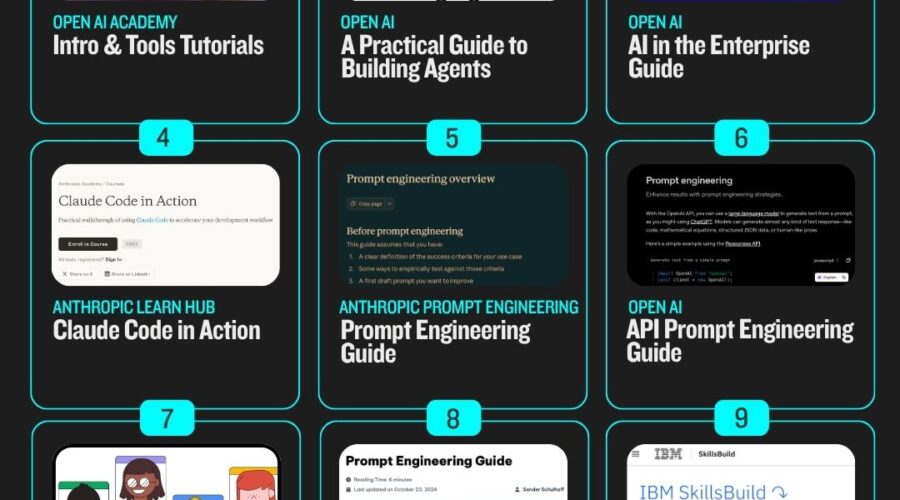
Open AI just dropped the AI Academy – 11 courses are now available for free


Introduction to Prompt Engineering

URL: https://academy.openai.com/public/videos/introduction-to-prompt-engineering-2025-02-13

Learning prompt engineering unlocks the full creative and problem-solving potential of AI tools. This course breaks down the art of crafting clear, effective prompts to guide AI in generating relevant responses for diverse projects, emphasizing templates and hands-on strategies for both beginners and advanced users.


ChatGPT & Reasoning

URL: https://academy.openai.com/public/videos/chatgpt-and-reasoning-2025-02-13

This course explores how AI models approach complex reasoning and logical challenges. Learners see how ChatGPT decomposes multifaceted questions and tests various solution paths, providing valuable skills for advanced scientific, mathematical, and business scenarios.


Deep Research

URL: https://academy.openai.com/public/videos/deep-research-2025-03-11

Dive into OpenAI’s method for teaching AI to conduct comprehensive research. The course covers reinforcement learning for tasks like academic investigation or market analysis, highlighting AI’s ability to explore, synthesize, and adapt when gathering knowledge.


OpenAI, LLMs & ChatGPT

URL: https://academy.openai.com/public/videos/openai-llms-and-chatgpt-2025-02-13

Learn the fundamentals of large language models (LLMs), covering their architecture, capability, and evolution within OpenAI. This overview provides a foundation for understanding LLM innovation and the practical applications of ChatGPT at scale.


ChatGPT Search

URL: https://academy.openai.com/public/videos/chatgpt-search-2025-02-13

See how ChatGPT integrates live internet search to improve answers with up-to-date information. This course shows practical workflows for leveraging the latest facts, verifying sources, and enhancing content quality via real-time research.


ChatGPT for Data Analysis

URL: https://academy.openai.com/public/videos/chatgpt-for-data-analysis-2025-02-13

Unlock ChatGPT’s hidden powers for data work. This video guides learners through analyzing spreadsheets, drawing insights, and automating reporting or visualization with natural language, making data science more accessible to all.


Advanced Prompt Engineering

URL: https://academy.openai.com/public/videos/advanced-prompt-engineering-2025-02-13

Master the nuances of prompt engineering for complex tasks. This advanced course goes deep into techniques, best practices, and prompt iteration, empowering users to push LLMs to next-level performance for both creativity and precision.


Multimodality Explained

URL: https://academy.openai.com/public/videos/multimodality-explained-2025-02-13

Discover how next-generation AI models process not just text, but also images, audio, and more. This approachable introduction explains multimodal models, highlighting practical use cases in business, accessibility, and creative work


ChatGPT for Writing and Coding

URL: https://academy.openai.com/public/videos/chatgpt-for-writing-and-coding-2025-02-13

Explore the power of ChatGPT for writing blogs, code snippets, and creative content. The course demonstrates real scenarios where AI drafts articles, reviews copy, and automates coding tasks, saving hours for creators and developers.


ChatGPT Projects

URL: https://academy.openai.com/public/videos/chatgpt-projects-2025-02-13

This practical course showcases end-to-end projects created with ChatGPT, from idea to result. It inspires learners with hands-on examples of automations, creative apps, and innovative uses of conversational AI across industries.


Introduction to GPTs & ChatGPT Basics

URLs:

A beginner-friendly introduction to how GPT models work and how to use ChatGPT for everyday needs. The courses explain model basics, setup, best practices, and the essentials for getting started on the OpenAI platform, making AI approachable to anyone.


Scroll to top