
Best Free AI Websites

Author: Simply Digital

Penelope AI

Get help from a state-of-the-art AI writing assistant that can speed up your writing process effortlessly. With features such as paraphrasing, summarizing, story generation, and AI autocomplete, you can write better and faster than ever before.


Review:

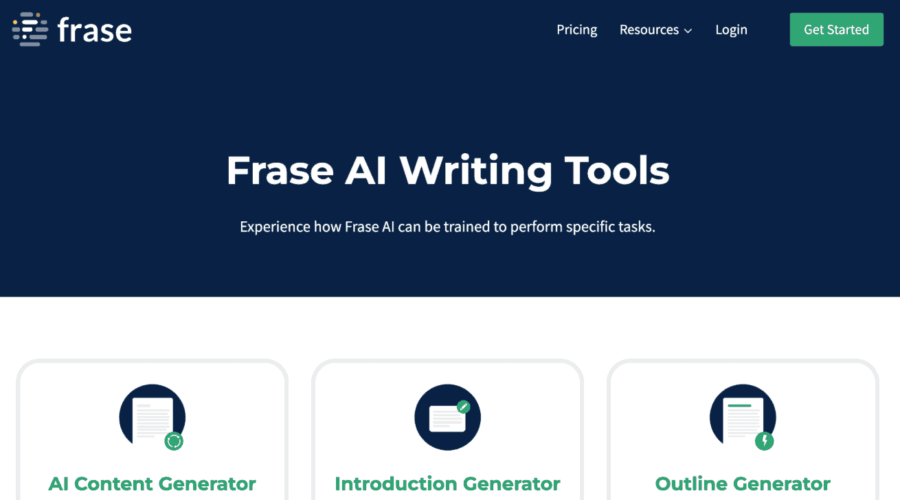
Frase

Frase is an AI-driven SEO and writing tool that provides assistance for a range of content creation tasks, available at no cost.

Frase Features:

  • AI writing tools: Content Generator, Outline Generator, Paraphrasing Tool, Blog Title Generator, and more.
  • Unique and engaging content: Each tool is tailored to different content types.
  • Additional resources: Live Product Walkthrough, Blog, Crash Course, and Help Center available for support.

Review:

Analogenie

Analogenie is an analogy generator that utilizes artificial intelligence to improve the quality of different forms of writing.

Analogenie Features:

  • Analogenie generates complete analogies based on user input for engaging and effective writing.
  • The tool is versatile and suitable for different types of writing, including creative, academic, and business writing.
  • It supports generating analogies in English.
  • Analogenie offers flexible pricing and a free trial for users to try out the tool.

Grammarly

Grammarly is an AI-based writing tool that helps users enhance their writing abilities.

Grammarly Features:

  • Real-time feedback on writing
  • Integration with 500,000+ apps and websites
  • Suitable for individuals, teams, businesses, and educational institutions

Tutorial:

Genmo AI

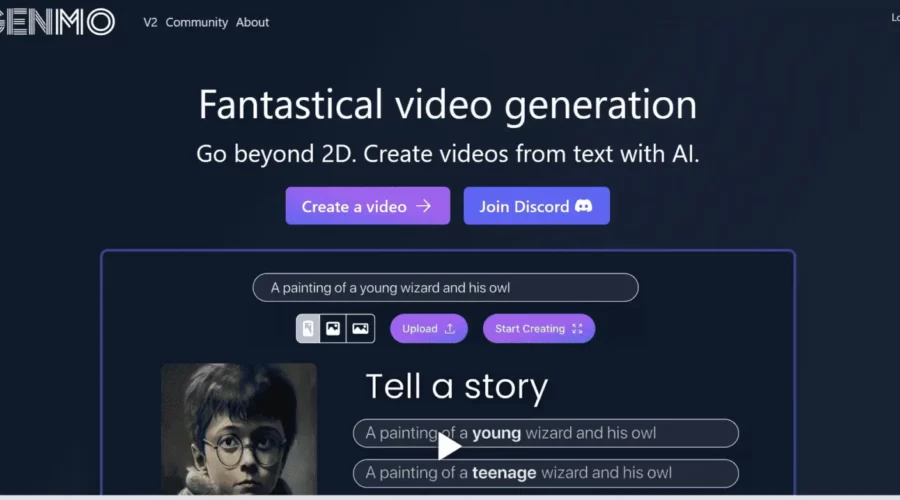
Fantastical video generation with AI

Genmo AI Features:

Genmo employs AI technology to create engaging videos from text. Some of the prominent features and benefits include:

– Text-based video creation: Utilizes natural language processing, image recognition, and machine learning algorithms to produce videos from text.
– Customization: Offers a range of options for background colors, characters, music, and more, to provide a personalized touch to the videos.
– Multiple formats: Allows for video distribution on various social media platforms like YouTube, Facebook, Twitter, etc.
– Versatile applications: Ideal for creating a range of videos, including marketing campaigns, educational materials, explainer videos, and more.

Genmo presents several use cases that cater to different requirements, such as:

– Businesses and organizations that need affordable and compelling video content.
– Educators and trainers who want to develop visually attractive educational materials.
– Content creators looking for a quick and efficient way to produce videos from text.

In general, Genmo provides an effective solution for people and organizations aiming to create engaging videos from text in a swift and economical way.

Lumen5

Video creation platform designed for brands and businesses.

Lumen5 Features:

Designed to simplify and provide engaging content creation, Lumen5 is a video creation platform that uses AI technology. With its intuitive drag-and-drop interface, video creation is like using PowerPoint and it offers powerful features. The platform offers hundreds of customizable designs to ensure brand consistency and appeal and uses AI automation to turn blog posts into video content and Zoom recordings into captivating clips without requiring technical expertise. Additionally, there’s a resource library with images, video footage, and music for enhanced video content.

Use cases for Lumen5 cater to various industries:

Various industries can benefit from Lumen5 with its diverse range of use cases. It can be used by marketers to create engaging videos for social media posts, businesses to save time and costs on video production, and content creators who want to stay up-to-date with video marketing trends. The platform provides a user-friendly environment for creating captivating videos in just 10-15 minutes. As a result, Lumen5 has become an essential tool for both businesses and marketers.

Roll

Roll is a powerful AI video platform that enables users to create professional-quality videos using just a smartphone and a browser. Roll eliminates the need for expensive equipment, studios, and complex editing software, making video production faster and more accessible.

Features :

  • Capture clear and natural conversations with directional audio and noise cancellation.
  • Create videos with multi-camera shots, including wide and closeup views, without the need for multiple devices.
  • Add professional camera movements like dolly, crane, and pan.
  • Enhance your videos with ready-to-use visual effects.
  • Save time with automatic, professionally produced multi-camera video editing.
  • Directly publish videos to social media with automatic reformatting.

Demo:

Type Studio

Automated video-to-text transcription & quick video editing tools.

Type Studio Feature:

Type Studio is a text-based video editor that takes your video and transcribes it into text automatically. They also have quick tools for video editing, subtitles, podcast, repurposing, and recording.

Contentfries

Create contextual content faster & auto-subtitles in 120+ languages.

Contentfries Feature:

Get Dozens of Content Pieces with ContentFries. Create contextual content for weeks or months ahead, faster than ever before. They also have a subtitle creator software – auto-subtitles for 120+ languages and dialects.

Topaz Video AI

Unlimited access to production-grade neural networks for video optimization.

Topaz Video AI Features:

Acquire unrestricted access to the world’s most advanced neural networks, capable of video upscaling, deinterlacing, motion interpolation, and shake stabilization with our comprehensive video optimization toolkit. This state-of-the-art software solution provides workstation-optimized tools for seamless high-quality video production.

Striking Features:

Video upscaling: Improve video resolution, creating images that are crisper and more detailed.
Elimination of interlaced video artifacts: Automatically remove interlacing errors to yield alluring, smooth video playback.
Motion interpolation: Increase frame rates to generate a smoother and more seamless motion in your videos.
Shake stabilization: Reduce shaky footage, achieving a polished, steadier appearance.

Pictory

Create engaging videos from scripts & blog posts.

Pictory Feature:

Pictory is an AI-powered video creation tool designed for users seeking professional-quality videos without technical skills or software downloads.

Unscreen.com

Remove video background automatically & free.

Unscreen.com Feature:

Remove Video Background, 100% Automatically and Free. With Unscreen you can record your footage anywhere, then simply get rid of the background.

Scroll to top