
Best Free AI Websites

self education

32 TOP AI TOOLS TO LEARN NEW SKILLS

Coding & Tech

LeetCode (https://leetcode.com/): A go-to platform for practicing coding problems and preparing for technical interviews. You’ll find thousands of challenges across algorithms, data structures, and systems design — with test cases and community discussions to help you level up your problem-solving skills.

GeeksforGeeks (https://www.geeksforgeeks.org/): A huge online computer science hub packed with tutorials, explanations, and examples on coding concepts. It’s great for learning fundamentals, diving deep into topics, and finding solutions for common programming patterns in languages like C++, Java, Python, and more.

Kaggle (https://www.kaggle.com/): A vibrant data science and machine learning community where you can find real datasets, compete in predictive modeling challenges, build projects, and share notebooks. It’s perfect for hands-on learning and collaboration with other data enthusiasts.

Code.org (https://code.org/en-US): An education nonprofit focused on expanding access to computer science, especially for beginners and students. It offers fun, structured lessons, games, and activities to learn coding basics — no experience required.


🎓 Education & Courses

Khan Academy — https://www.khanacademy.org/
A free, nonprofit online learning platform offering video lessons and practice exercises across core subjects like math, science, history, and computing — great for self-paced foundational learning at any age.

Udemy — https://www.udemy.com/
A huge online course marketplace where experts create video-based classes on everything from programming and business to creative skills — courses can be paid or free.

Harvard Online — https://pll.harvard.edu/online-courses
Harvard University’s official hub for online courses, including professional, academic, and skills-based training created by Harvard faculty — often with certificates.

Class Central — https://www.classcentral.com/
A search and discovery engine for online courses (MOOCs) from universities and providers like Coursera, edX, and more — helpful for finding free and paid options.


💼 Business & Professional Skills

Coursera for Business — https://www.coursera.org/business
Enterprise-focused learning from top universities and companies — builds career and leadership skills with scalable training paths and certificates.

Google Skillshop — https://skillshop.withgoogle.com/
Google’s official training platform to master Google products like Analytics, Ads, and more — includes certifications for professionals and marketers.

MindTools — https://www.mindtools.com/
Professional development site with practical resources on leadership, time management, communication, and team skills (usually subscription-based).

openSAP — https://open.sap.com/
Free online courses on SAP technologies and enterprise software — ideal for IT professionals and business tech learners.


🤖 AI & Tech

Learning OpenAI – Learning (At the moment there’s no official centralized “OpenAI Learning” site in the same way; many resources are hosted through ChatGPT’s tools and documentation.)

Microsoft AI Learnhttps://learn.microsoft.com/ai Microsoft’s official AI learning hub — hands-on tutorials, learning paths, and documentation for developing AI skills with Microsoft tools. Microsoft Learn

Hugging Face Learnhttps://huggingface.co/learn A learning section from Hugging Face focused on open-source AI model development, LLMs, and practical machine learning training. Hugging Face

TensorFlowhttps://www.tensorflow.org/learn Official learning resources for TensorFlow (Google’s ML framework) — tutorials and courses on neural networks, model building, and deep learning.
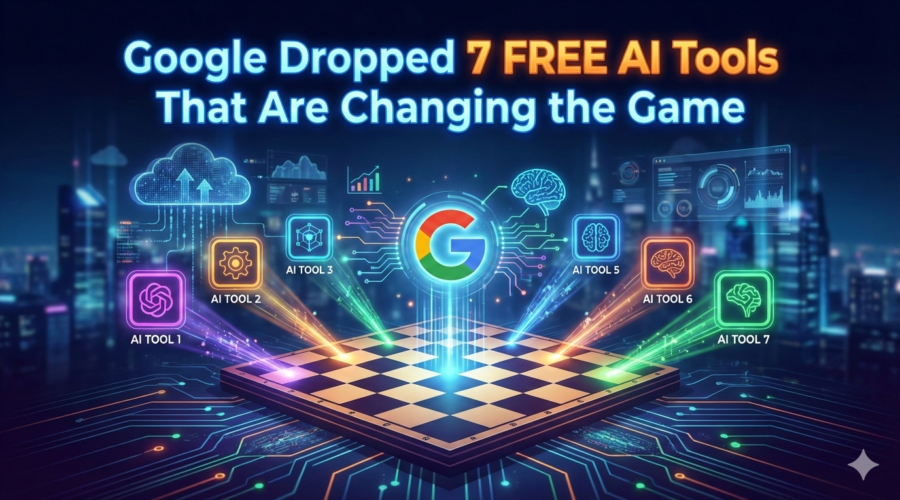

Google dropped 7 FREE AI tools that are changing the game.

Whether you’re building apps, automating workflows, designing content, or generating visuals — these AI tools are designed to help you move fast and build smarter.

1. Google Stitch

What it does: Turns natural language descriptions and sketches into real UI designs and front-end code in minutes — no design skills needed.
Use it: 👉 https://labs.google.com/stitch


2. Build by AI Studio

What it does: A plain-English app builder inside Google AI Studio that writes entire web apps from straightforward prompts — perfect for prototyping or MVPs.
Use it: 👉 https://aistudio.google.com


3. Opal

What it does: A no-code workflow and mini-app builder powered by AI — think AI-powered n8n that lets you visually assemble logic and behaviors from text prompts.
Use it: 👉 https://opal.google/landing/


4. NotebookLM

What it does: An AI research assistant that digests your uploaded documents and turns them into searchable notes, summaries, and even podcast-style audio explainers.
Use it: 👉 https://notebooklm.google


5. Pomelli

What it does: Google’s AI marketing tool that scans your website, learns your brand DNA (fonts, colors, voice), and auto-generates on-brand social and ad content.
Use it: 👉 https://labs.google.com/pomelli/about/
(Note: currently in public beta and region-limited.)


6. Gemini Canvas

What it does: A powerful AI workspace inside Google Gemini that transforms text or doc content into visually rich slide decks and visual presentations in minutes.
Use it: 👉 https://gemini.google.com (open Canvas from the tools menu)


7. Nano Banana Pro

What it does: Google’s cutting-edge AI model for generating photorealistic, studio-quality images — think 4K resolution, advanced lighting controls, and detailed edits.
Use it: 👉Alternative official access via Google Gemini (image generation with Nano Banana Pro)

👉 https://gemini.google.com — open this, sign in with Google, choose “Create images” → select Thinking model to use Nano Banana Pro.


Final Thoughts

This lineup isn’t just a toolkit — it’s a productivity ecosystem. You can go from idea → UI → working app → marketing visuals → launch with minimal overhead. These tools blend generative design, app logic, workflows, research, and visual creation into a fluid, easily orchestrated stack. Choose the right combo for your workflow and you’ll be building better, faster, and with way less grunt work.


10 FREE Websites That Should Be Illegal (But Aren’t)

Knowledge does not have to be expensive.
Education should not be locked behind paywalls.

The truth is, you need permission, credentials, or debt to learn valuable skills.

Right now, some of the most powerful institutions on the planet — from MIT to Harvard University to OpenAI — are quietly giving away world-class education for free.

No catch.
No gimmicks.

Here are 10 free websites that feel illegal — but absolutely aren’t.

Use them wisely.


1.FreeLearningList
A master index of free education across the internet.
You pick a skill, it shows you where to learn it for $0.

2.Google Skills Boost
Google literally training the next generation for free.
AI, data, cybersecurity, marketing, certificates included.

3. MIT OpenCourseWare 
Real MIT courses. Real lectures. Free.
Same knowledge. No tuition.

4. Khan Academy
Math, finance, economics, logic, storytelling.
Better than most school systems.

5. Harvard Free Online Courses
Harvard… for free.
Let that sink in.

6.Coursera (Audit Mode)
Top universities and companies.
Thousands of courses free if you choose “Audit.”

7. Project Gutenberg
70,000+ free books.
Business, philosophy, psychology, classics.
A private library in your pocket.

8. Open Library
Borrow books digitally like a global library card.
Millions of titles.

9. Internet Archive
Books, movies, software, courses, old websites.
The internet’s memory vault.

10. OpenAI Learn
Learn how to actually use AI, not just talk about it.
Prompts, workflows, real use cases.


Conclusion

Pick one site. Start today.
Because the real advantage isn’t knowing these exist — it’s acting before everyone else wakes up.


Scroll to top